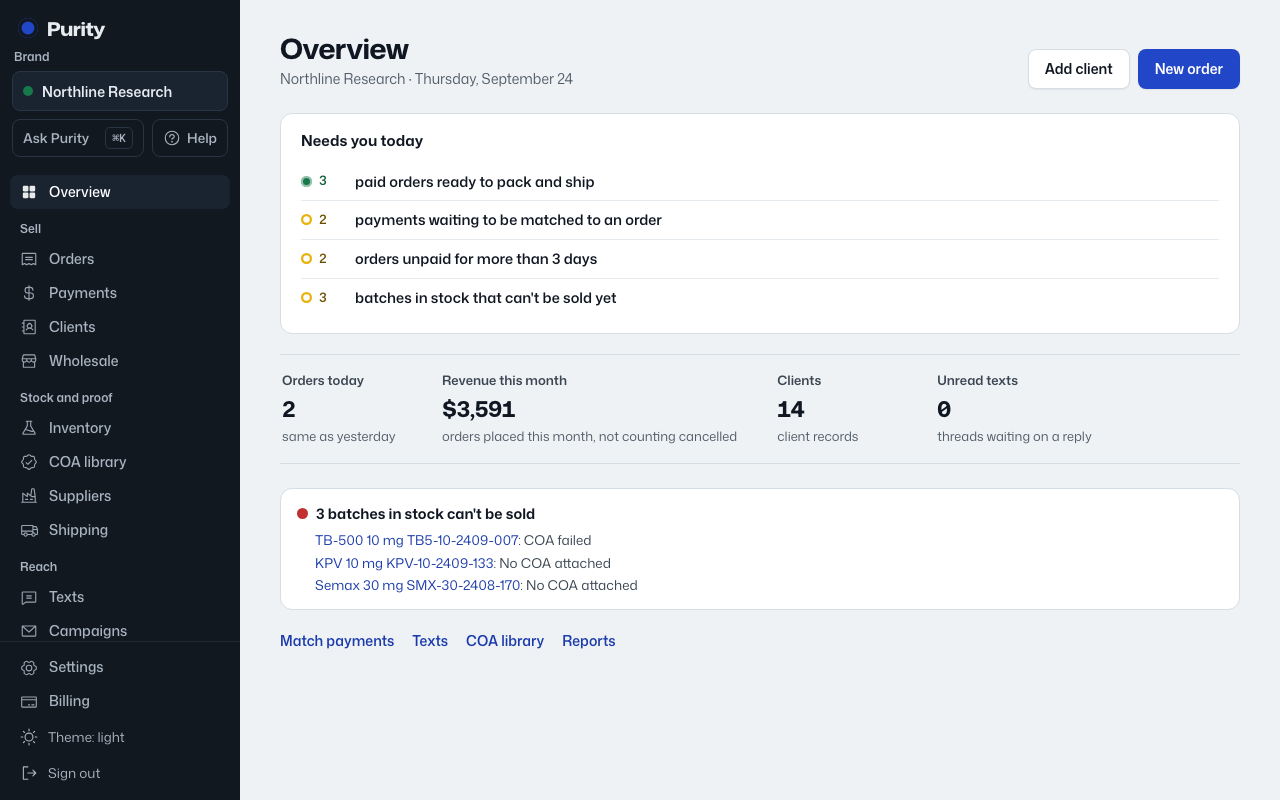
The Overview is what you see first each time you open Purity, built from a few parts, top to bottom.
- "Needs you today": anything waiting on a person, each with a count and a link.
- Four numbers for today and this month: orders, revenue, clients and unread texts.
- Alerts about batches that can’t be sold yet, and lab reports about to expire, if any.
- Shortcuts to Match payments, Texts, the COA library and Reports.
The two buttons at the top of the page, "Add client" and "New order", are always there.