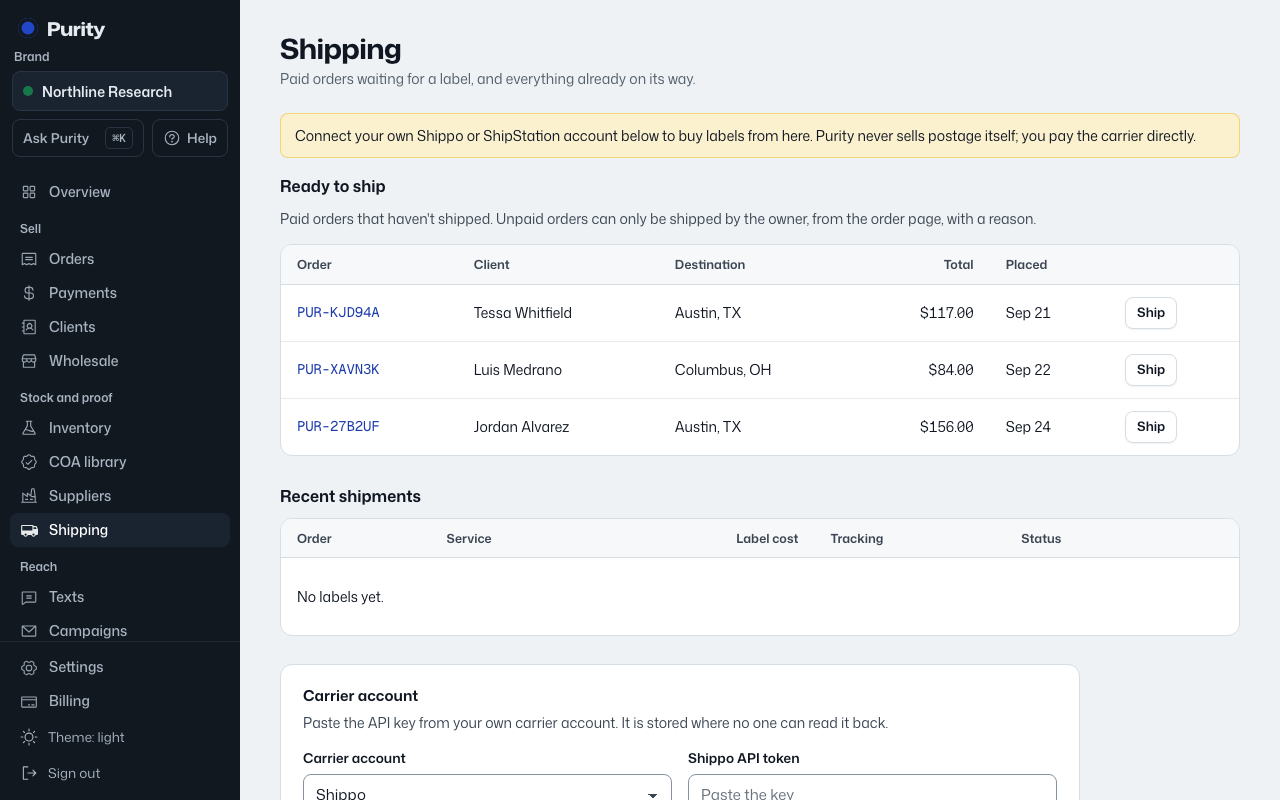
Purity never sells postage itself. You connect your own carrier account, and labels are bought on that account at your rates.
- Open Shipping.
- Under "Carrier account", find your platform and choose "I have an account".
- Follow the guide to paste your credentials. ShipStation V1 needs a key and secret; Sendle needs a Sendle ID and key.
- Check "Leave prices off packing slips" if you don't want your cost showing on the slip.
- Click "Save carrier".
Where to find your Shippo API token:
- Sign in to Shippo and open the API portal at portal.goshippo.com.
- Go to API Configuration, then Developer Keys.
- Under Live keys, click Create new live key and copy it. It starts with shippo_live_.
- Paste it here. Use a live key, not a test key, or labels will not be real.
Where to find your ShipStation API key and secret:
- Sign in to ShipStation as the account owner and open Settings (the gear), then Account, then API Settings.
- Pick V1 from the API version menu and click Generate API Key.
- ShipStation emails you a verification link. Open it, which brings you back to API Settings.
- Click Generate API Key again, choose how long the key lasts (3, 6 or 12 months) and click Generate.
- Copy both the API Key and the API Secret right away. ShipStation only shows them once.
Need an account? Choose "I need an account" to open the signup page in a new tab. Purity may earn a referral payment. When you finish signing up, return and choose "Connect it now".
Shippo and Easyship may also offer "Sign in with" when Purity has enabled their partner connection. Sign in and approve access, then return to Shipping. Otherwise use the API key option.
Pirate Ship cannot connect to Purity because it does not offer an API for apps. Use it on its own website.