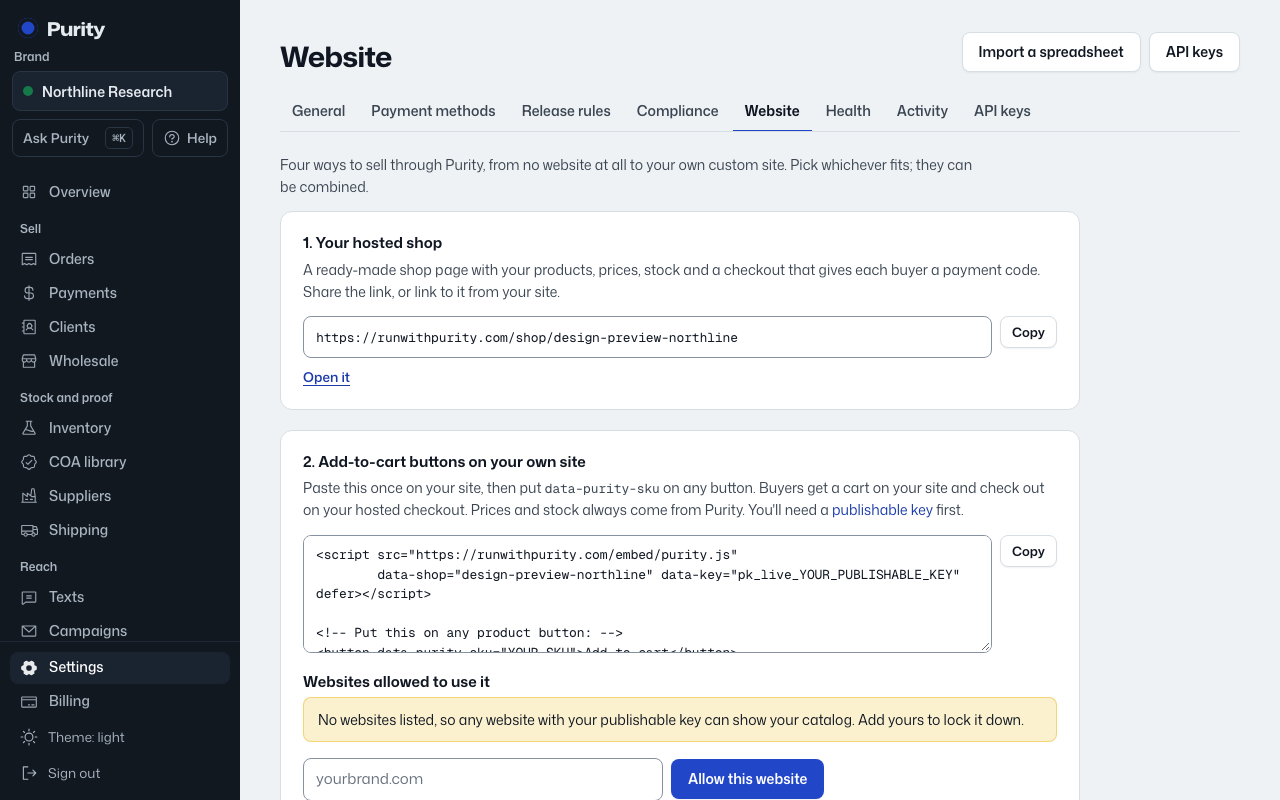
Paste one line of code into your site and mark any button as an add-to-cart button. If you have a developer and your own checkout, they can send orders in through the API instead (see Advanced below).
Open Website, choose My own coded site under "Where do you sell today?", then follow these steps:
- Create a site key. It lets your site show live prices and stock. Use "Create a site key" or "Create a secret key" on the Website page.
- Plain HTML: paste this just before the closing </body> tag on every page (or in your shared layout). The Website page has this ready to copy.
- Next.js (App Router): in app/layout.tsx add the script with next/script, as below. The Website page has this ready to copy.
- Put this on any button or link that should add a product to the cart. Change YOUR-SKU to the product's SKU in Purity. The Website page has this ready to copy.
- Publish your site, then paste your site address below and choose "Check my site". Purity looks for the code on your page.
Connected looks like: Purity finds the code on your page and shows when your site last loaded your products.
Stock: the buttons read Purity's live stock every time a page loads, and orders are placed on your Purity checkout, so a sale takes stock off in Purity at once and sold-out products update on their own (Sold out, Pre-order or hidden, as you choose under "Stock on your website"). Developers can also read live stock from the products API (in_stock, stock_state) or get webhook events.