Skip to content
Purity

Limit which websites can use your catalog

Add your own site to the allowed list so only it can show your prices and stock with the add-to-cart snippet.

Owners and admins · Updated September 24, 2026

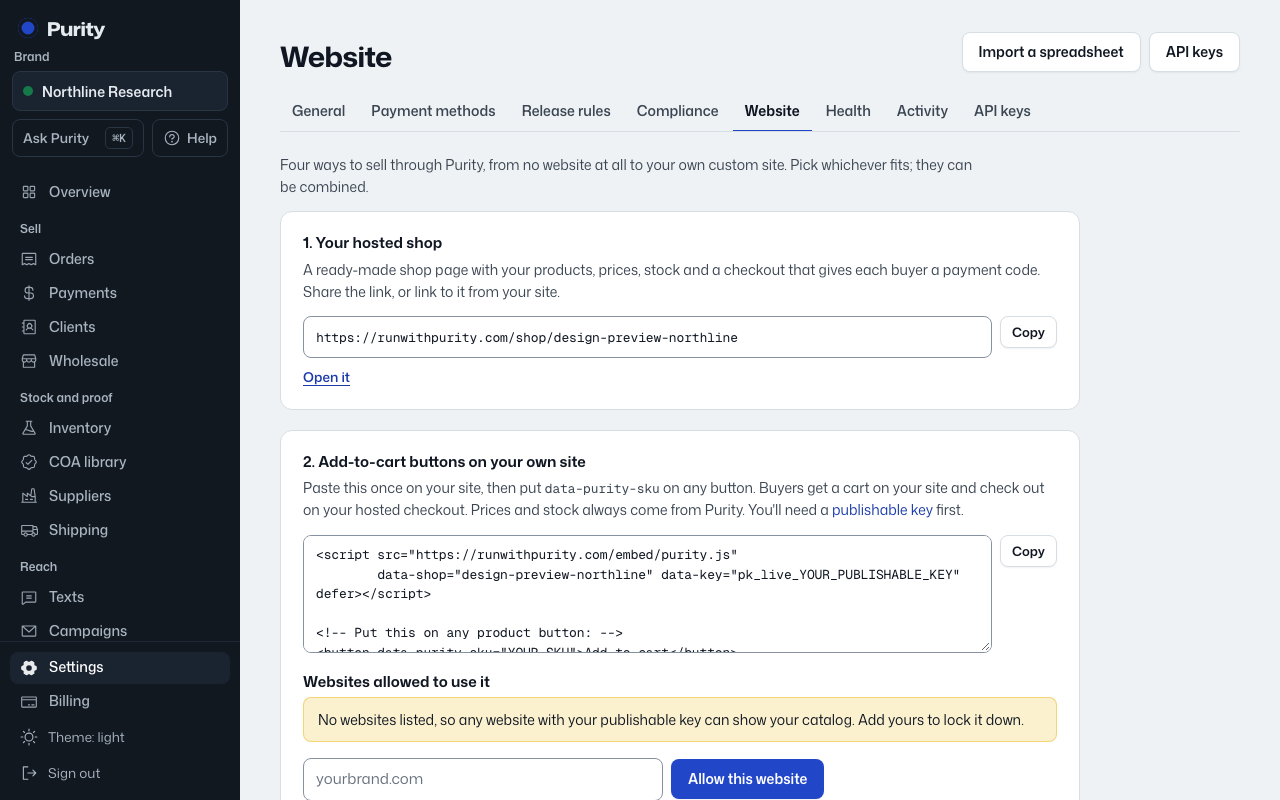
The Your website screen in Purity, with example data
The Your website screen, with example data.

If no websites are listed, any site holding your publishable key can show your catalog. Add your own site to lock it down.

  1. Open Website and scroll to "Websites allowed to use it."
  2. Type your site's address, for example yourbrand.com, and click "Allow this website."
  3. Click "Remove" next to an address to take it off the list.